

An audience that responds. In the room, online, or both.
Answer on your phone. See the result on the big screen instantly.

Use your own phone.Submit your answer and see the result on the screen next to it.
This is a live demo, you are responding in the actual applicationQuestions rotate automatically
The CEO asks. The Czech Republic answers. A nationwide online quiz held on 26 August 2026.
See what it looked likeHosting, connectivity, AV production and organizer of the first nationwide event




What it is
A live interactive layer for any event, meeting or broadcast with an audience.
The main screen keeps the room engaged. Everyone votes and responds on their own phone, turning audience reactions into structured data rather than anecdotal impressions.
Three steps
- 01
Join.Participants scan a code on the screen or open a link. No password, no registration and nothing to install.
- 02
Respond.Everyone uses the phone already in their hand.
- 03
See the result.Responses, scores and group breakdowns appear instantly, both on screen and in your data.
You control the session from a moderator dashboard. A new question created during the programme appears on every participant’s phone in approximately two seconds.
Two modes, separately or together
In the room.A question appears on the main screen. Participants respond on their phones, and the result is revealed to the entire room as soon as the question closes.
Online.You broadcast; your audience participates remotely. Display a code and viewers can join directly from home. Your live stream appears above the question on their phone, so they never have to choose between watching the broadcast and taking part.
Participants in the room and online take part in the same experience with shared scoring.
Use cases
One platform. Six different ways to use it.
Corporate meetings & events
In the roomOnlineAll-hands meetings, training sessions, results presentations or management meetings connecting multiple offices. The entire audience can respond, not just the three people willing to take the microphone.
Typical uses:
Live polling and Q&A during the programme, response breakdowns by team, office or country, or head-to-head competitions between teams with live scoring on screen. Access can be restricted by corporate email domain, giving you a clear record of who participated.
Conferences & congresses
In the roomReplace rented voting devices and per-participant software licences with something attendees already have: their phones. There is no hardware to distribute and nothing to collect afterwards.
Typical uses:
Live audience voting; speaker-versus-audience sessions where both in-person and online participants submit and vote on questions; or a final screen used to collect requests and contact details from participants who are already signed in.
Creators, broadcasts & campaigns
OnlineTurn viewers into active participants during a live broadcast. Show a code and people at home can play along while your stream continues directly above the question on their phone.
Typical uses:
A quiz or poll during a broadcast, spontaneous questions created in response to what is happening live, or open access requiring nothing more than a nickname. A viewer can also raise their hand and join the broadcast on camera.
Cities, municipalities & public consultations
In the roomOnlineCollect structured input from people in the room and those watching remotely, rather than relying on a comment box or the opinions of the few people willing to speak at a microphone.
Typical uses:
Voting between alternatives, rating scales, open-text responses and segmentation by district, municipality or other group. Results are available immediately and in a format that can be analysed, shared and presented further.
Hospitality venues & bars
In the roomTurn a quiet evening into a recurring paid quiz night and a new revenue stream. No dedicated equipment for guests. No staff training. Everyone plays on their own phone.
Typical uses:
Single-use access codes issued with a purchase or ticket and valid for the duration of the event. Questions, rankings and messages are displayed directly on the venue’s screen.
Trade-show booths
In the roomMake your booth one of the most visible places in the hall, while every scanned code represents a visitor who chose to engage with you.
Typical uses:
A short quiz or competition at the booth, a live leaderboard on screen and a final screen for collecting contact details.
In action
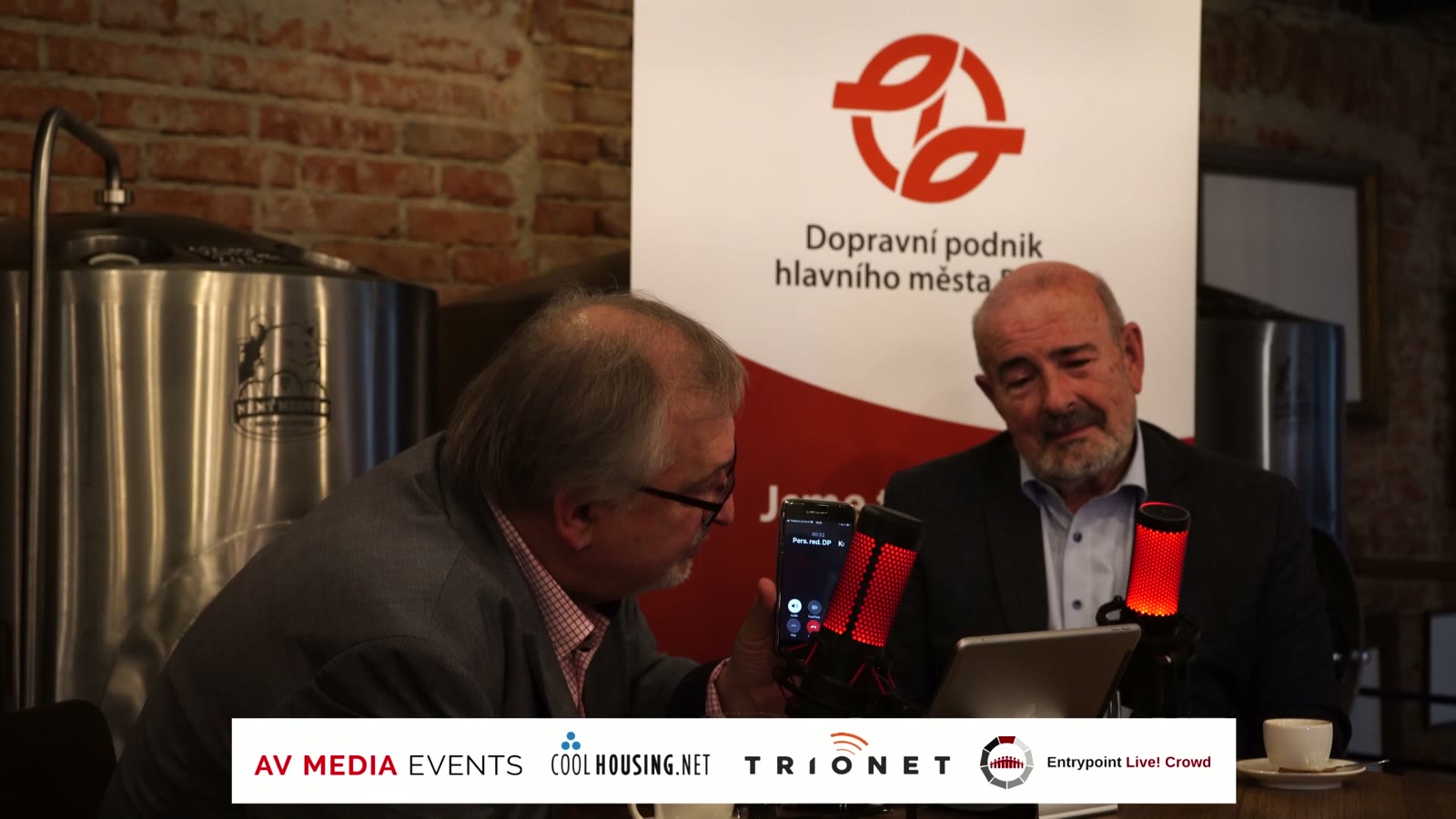
The CEO asks. The Czech Republic answers. A nationwide online quiz was held on 26 August 2026. Questions were presented by the CEO of Prague Public Transit Company. The event was hosted by the chairman of ODPP, the trade union representing Prague Public Transit employees.
The event ran entirely online. Viewers watched the live broadcast while answering questions on their phones directly beneath the video. The format combined multiple-choice questions, numerical estimates and open-text responses. Participants registered in advance and provided basic information about themselves, allowing the host to comment not only on the correct answer, but also on who knew it.
The full broadcast recording is publicly available on the ODPP channel.
Hosting: COOLHOUSING · Connectivity: TRIONET · AV production: AV MEDIA Events · Organizer: ODPP
Examples
Everything below comes from a real live event. No mock-ups.
Big screen on the left, participant phone on the right. The same question, the same moment.
Multiple choice.
Use it as a poll with no correct answer or as a scored quiz. The number of points available decreases over time, rewarding participants who know the answer rather than those who look it up.
Numerical estimate.
Points are awarded according to how close the answer is to the correct value, so participants do not need to hit the exact number.
Open text.
Collect messages, suggestions, ideas and comments from the audience. They appear on the main screen and remain available afterwards as structured input.
Additional formats include yes/no questions, fixed time-limit questions and rating scales. Scoring time is calculated from the moment a question reaches each individual phone, so participants with slower connections are not placed at a disadvantage.
Capacity
Live architecture stress test, 12 August 2026.
The same platform can serve a meeting room of forty people or an online broadcast with forty thousand participants. Only the way you use it changes.
Getting started
A screen in the room or a live broadcast, and an audience with phones.
There is nothing to install and no equipment to purchase for participants.
Who can participate
Open access. Code, nickname, no email required. Designed for public events, live streams and open audiences.
Verified access. Restricted by email domain or guest list, with verification through a one-time link. Designed for corporate and invitation-only events where you need to know who participated.
Each participant can select their preferred language on their own phone without affecting what anyone else sees.
How it works
- Call.Thirty minutes to discuss what you are planning.
- Demo.Experience it yourself on your own phone.
- Pilot.Run it at one of your real events.
- Review.Evaluate what worked, what should change, how to proceed and what the next stage will cost.
Pricing is agreed individually based on scope.
An audience that responds.
Do you operate a data centre or hosting platform? Entrypoint Live! Crowd can run within your own infrastructure and become a service you offer directly to your customers. Get in touch to discuss partnership terms.